PHP Recommendations
Introduction: When using our themes, it's essential to ensure that your PHP settings meet the recommended requirements to avoid any issues during the demo data import process.
To check your current PHP settings, you can navigate to Dashboard > Neuron > System Info.
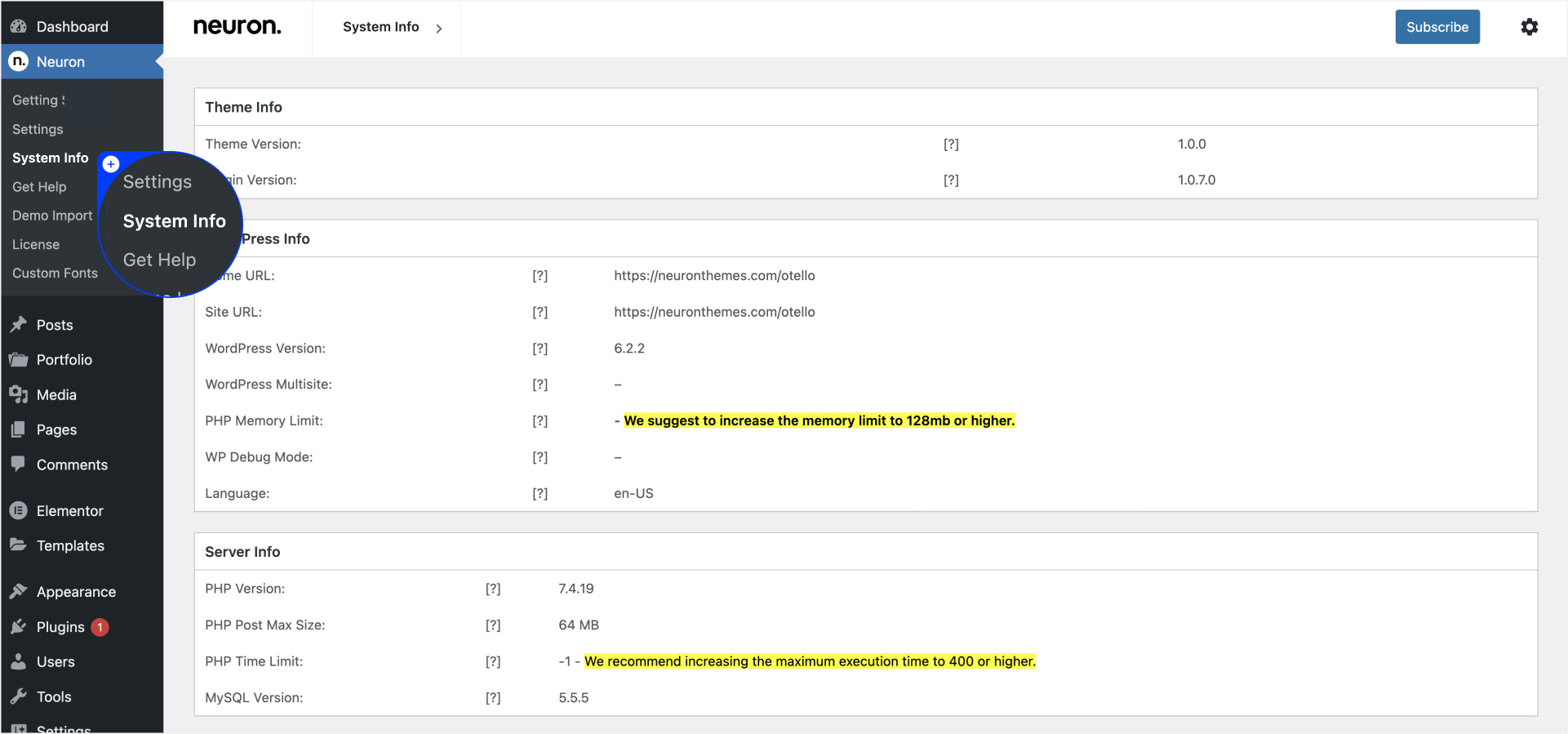
This article will guide you through the recommended PHP settings and provide instructions on how to implement them.
PHP Recommendations for Demo Data Import: To import the demo data successfully and prevent potential errors like Error 500, it is crucial to adjust the following PHP settings:
- Memory Size (memory_limit):
- Recommended Setting: memory_limit = 256M
- Description: This setting determines the maximum amount of memory that PHP can allocate for executing scripts. Increasing the memory limit allows for smoother and more efficient processing of the demo import.
- Script Execution Time (max_execution_time):
- Recommended Setting: max_execution_time = 400
- Description: This setting specifies the maximum duration (in seconds) that a PHP script can run. Increasing the execution time ensures sufficient time for the demo import process to complete successfully, especially for larger data sets.
- Number of Input Variables (max_input_vars):
- Recommended Setting: max_input_vars = 4000
- Description: This setting defines the maximum number of input variables that PHP can handle. Raising this limit is essential when importing demo data that contains numerous configuration options and settings.
Implementing PHP Settings: If you have access to the php.ini file, you can directly modify the values mentioned above. Locate the php.ini file and make the following changes:
memory_limit = 256M
max_execution_time = 400
max_input_vars = 4000
If you don't have access to the php.ini file, you can add the following values to your .htaccess file:
php_value max_execution_time 400
php_value memory_limit 256M
php_value upload_max_filesize 10M
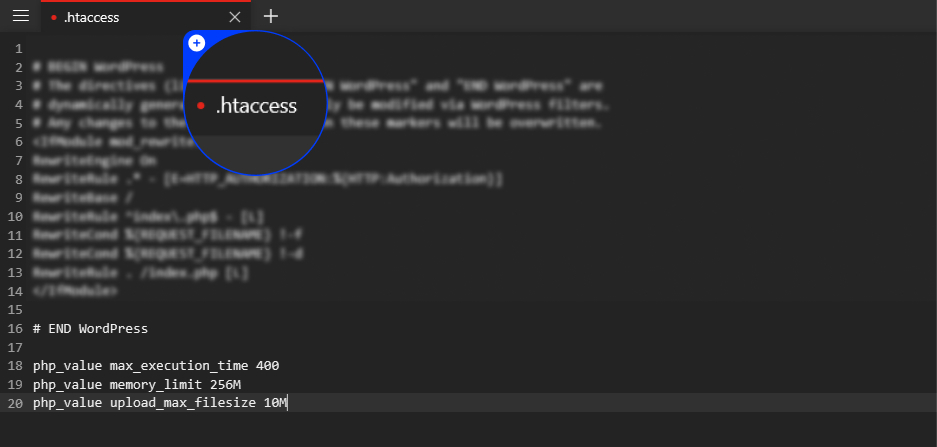
Note: It's important to exercise caution while making these changes, as some hosting companies may restrict users from modifying PHP settings. If you encounter any issues after applying these modifications, revert the changes by removing or commenting out the lines in your .htaccess file.
Conclusion: Ensuring that your PHP settings align with the recommended values is crucial for a smooth and error-free demo data import process when using the Neuron themes. By adjusting the memory limit, execution time, and maximum input variables, you can optimize your PHP configuration to meet the requirements of the theme. If you encounter any difficulties or have questions, reach out to your hosting provider for further assistance.
Remember, it's always a good practice to consult your hosting provider or a technical expert if you are unsure about modifying PHP settings or if you experience any complications during the process.